Custom fields
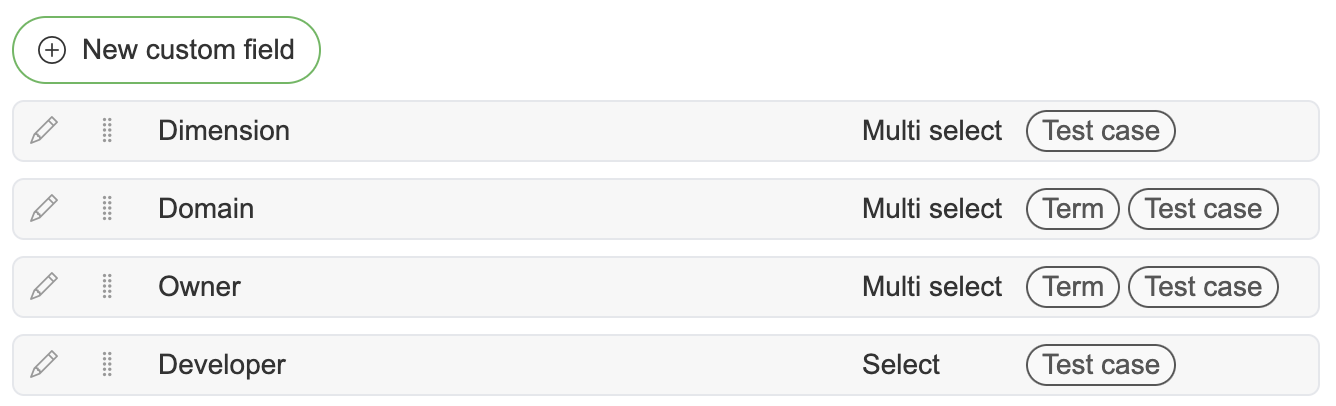
The table lists each field's Name, whether it is Required, its Type and the Entities it is connected to. The order of the fields in the table is the order they appear everywhere in the application - drag the handle at the start of a row to reorder.
Creating Custom field
To create a new custom field press New custom field button. This will open a new modal where is possible to create five different types of custom fields. At least one connected entity must be selected.
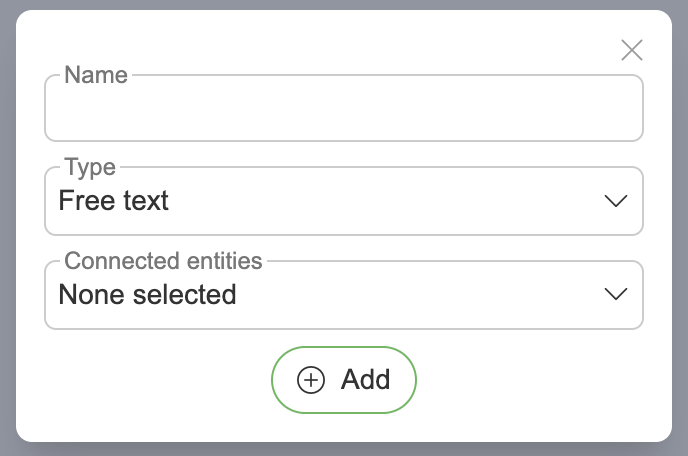
Name – display name for custom field
Type – free text enables functionality to manually add text for created custom field
Connected entities – features where custom field will be used
Dataset
Object
Attribute
Glossary
Business rule
Term
Test case
Test suite
Required - makes filling in the custom field for entities required
Add – creates a new custom field

Name – display name for custom field
Type – textarea enables popup window to add large text for created custom field
Connected entities – features where custom field will be used
Dataset
Object
Attribute
Glossary
Business rule
Term
Test case
Test suite
Required - makes filling in the custom field for entities required
Add – creates a new custom field
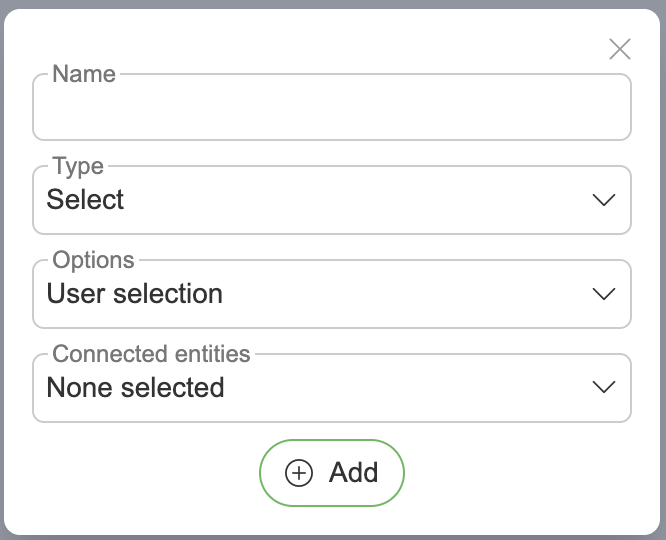
Name – display name for custom field
Type – select enables choosing one active value
Options
Custom options
User selection
Term selection
Connected entities – features where custom field will be used
Dataset
Object
Attribute
Glossary
Business rule
Term
Test case
Test suite
Required - makes filling in the custom field for entities required
Add – creates a new custom field
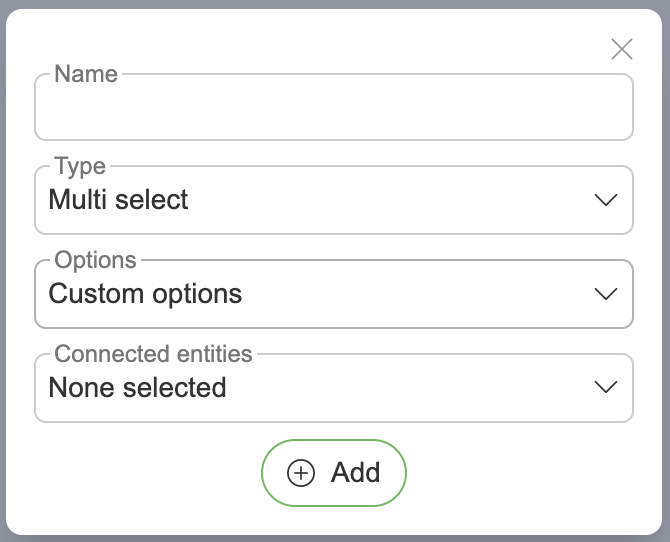
Name – display name for custom field
Type – multiselect enables choosing multiple active values
Options
Custom options
User selection
Term selection
Connected entities – features where custom field will be used
Dataset
Object
Attribute
Glossary
Business rule
Term
Test case
Test suite
Required - makes filling in the custom field for entities required
Add – creates a new custom field
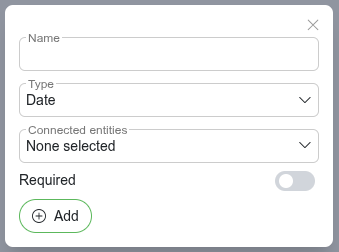
Name – display name for custom field
Type – enables choosing a date
Connected entities – features where custom field will be used
Dataset
Object
Attribute
Glossary
Business rule
Term
Test case
Test suite
Required - makes filling in the custom field for entities required
Add – creates a new custom field
Edit custom field
For editing press  icon in custom field table to open edit modal.
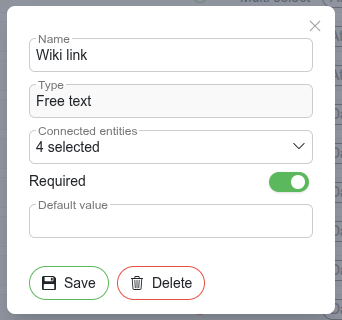
Name – display name for custom field
Type – cannot be changed after the custom field is created. To use a different type, create a new custom field
Connected entities – features where custom field will be used
Dataset
Object
Attribute
Glossary
Business rule
Term
Test case
Test suite
Required - makes filling in the custom field for entities required
Default value - default value for the field; shown while Required is enabled. The editor matches the field type (text, date picker, option or term selection)
Save – applies and saves your changes. Removing a connected entity type asks for confirmation, since the values stored for that entity type are deleted
Delete – permanently deletes the custom field; the confirmation shows how many entities currently use it
Same editing principles apply for other types of custom fields as well. For Select and Multi select fields the option type is shown read-only (it cannot be changed after creation), and the option list editor appears only for the Custom options type.
Editing custom options
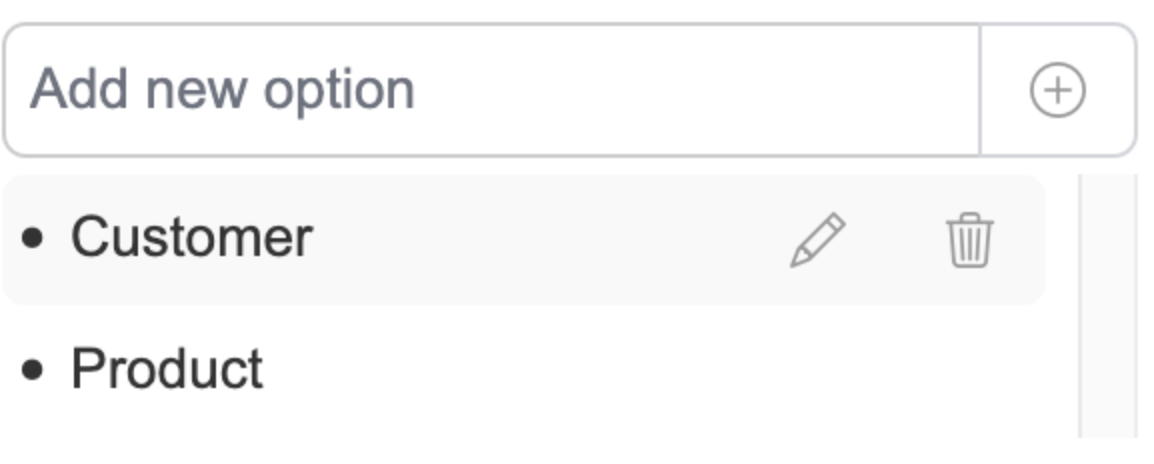
Type the value into the "Add new option" field and press the plus button (or Enter) to add it.
Hovering over an existing option will display icons for editing and deletion. Deleting an option asks for confirmation.
Required custom fields with defaults
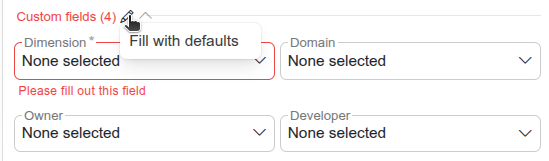
The gear icon next to a Custom fields section header offers Fill with defaults, which fills every currently blank field that has a default value configured.
Link detection
Free text and Textarea custom fields automatically detect URLs in their values. When a field contains a valid http:// or https:// link, a small external link icon appears on hover.
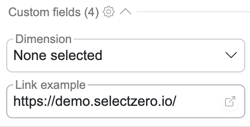
Clicking the icon opens the URL in a new browser tab. If the link points to an external site, a confirmation prompt is shown before navigating away:
No configuration is required - link detection is enabled automatically for all Free text and Textarea fields across every entity type, both in editors and in read-only table values.